
“Agentic AI”. That’s the key phrase.
Everybody is talking about how we should utilise AI on our life. Invest on the skill, buy your own hardware, they said.
And this one is probably the best gateway hardware out there.
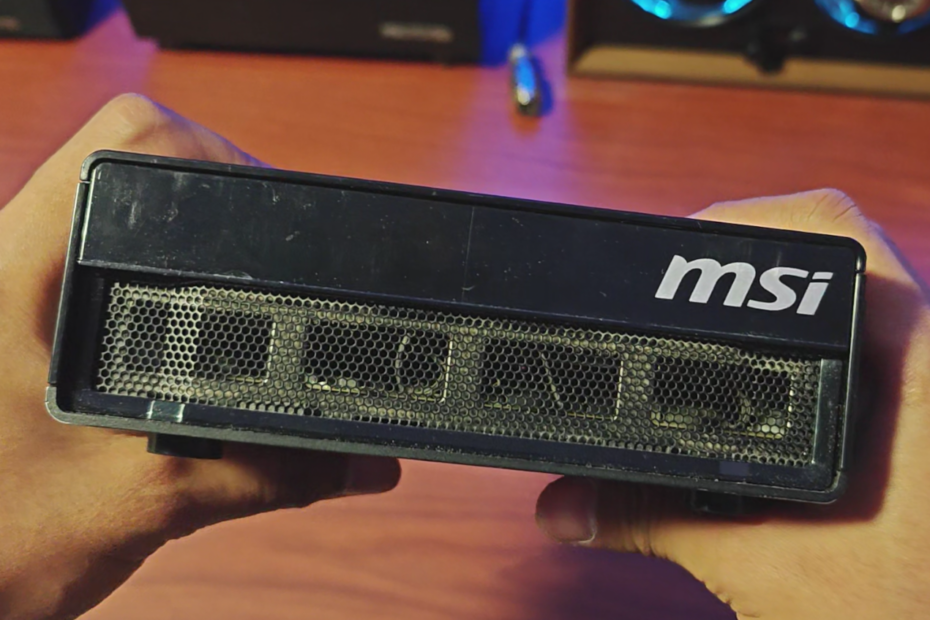
Behold! A mini AI supercomputer (Nvidia’s words, not mine)
Such a big statement, I thought. But after a short exploration, this thing is really a minified supercomputer in many different aspects. It has this enterprise-level of software support, clustering, network interface, and also the emphasis on being an AI server, not just a mere mini PC.
I won’t rewrite the full specification table here. You can see it yourself on MSI EdgeXpert page or Nvidia DGX Spark page.
But let me tell you all the interesting parts.
At a Glance
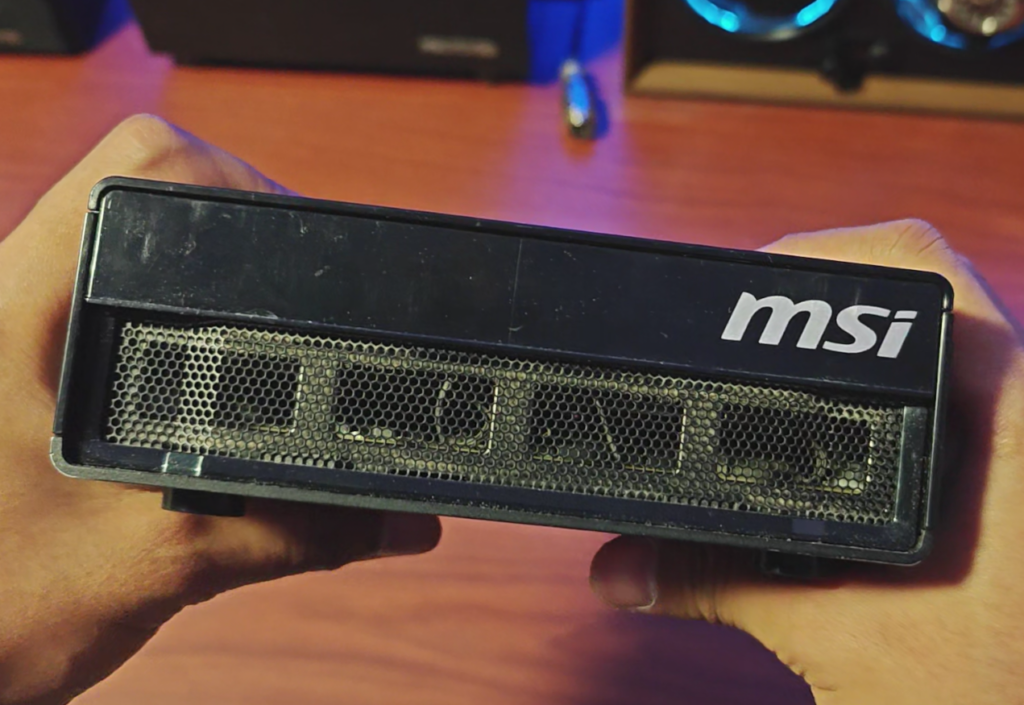
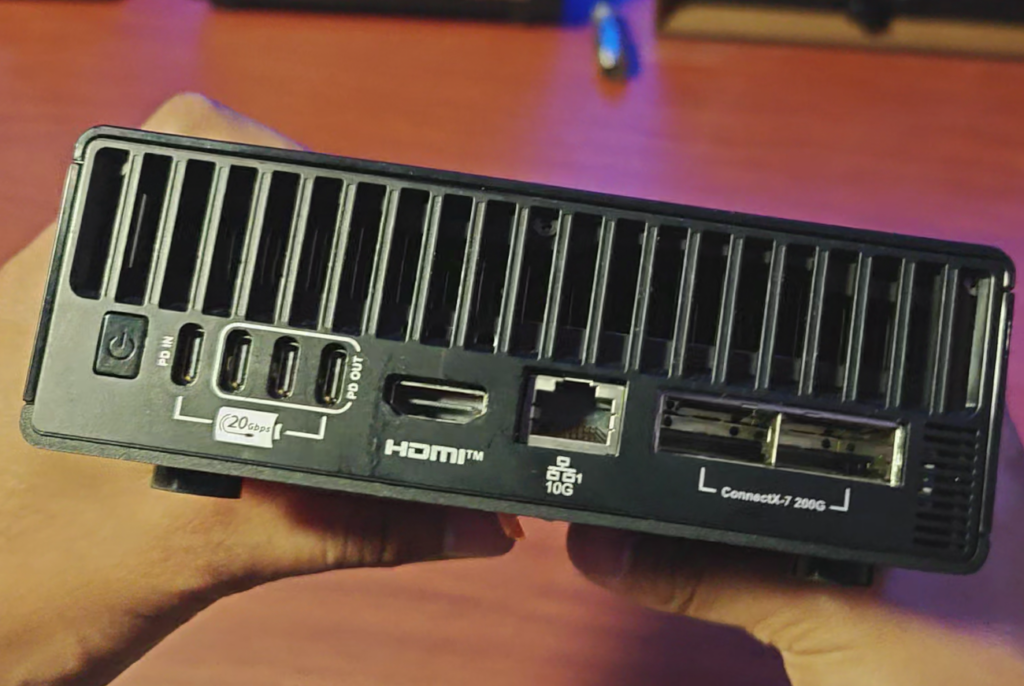
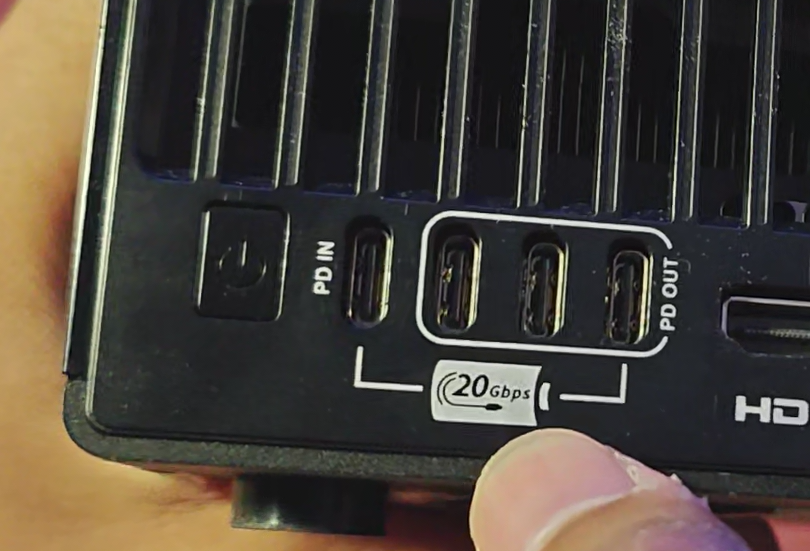
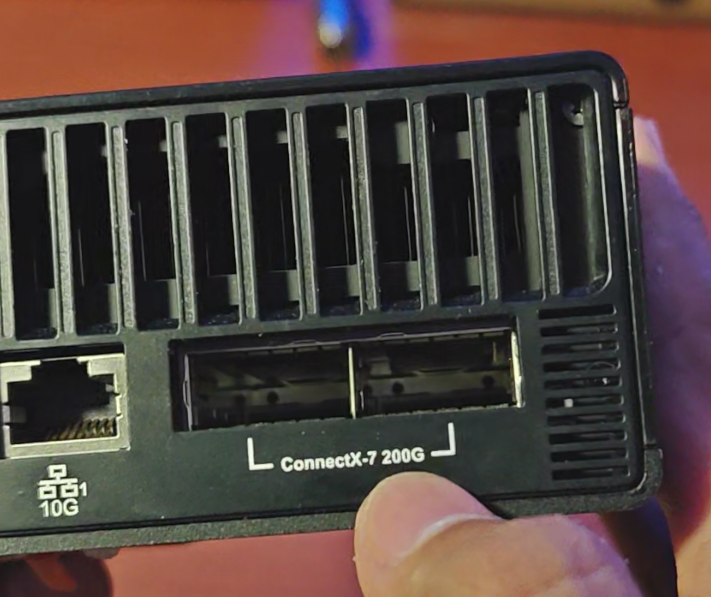
The omission of power LED or any power-on indicator is kinda heartbreaking, tho.
Hardware Overview
This system is using a custom multi-chip package SoC called Nvidia GB10. The GB10 is consisted of (should be) Grace Arm CPU and Blackwell GPU. Nvidia didn’t really mention the specific name of both the CPU and GPU so I’ll put the specification below to represent the number of the compute unit count instead.
| Component | Specification |
|---|---|
| CPU | 10-core Arm Cortex-X925, 10-core Arm Cortex-A725 |
| GPU | 48-SM Blackwell |
| Storage | 1 TB NVMe |
| Memory | 128 GB 256-bit LPDDR5x unified |
| Memory Bandwidth | 273 GB/s |
| Ethernet | 10 GbE RJ-45 |
| High-Speed Network | ConnectX-7 NIC @ 200 Gbps |
| Wireless Connection | Wifi 7, Bluetooth 5.4 |
| Power Supply | 240 W AC-to-DC power brick via USB type-C |
| BMC/IPMI | None |
As it stands, my main complaint is the lack of baseboard management controller (BMC) to remotely monitor the state of the hardware, connect to a virtual KVM to the server, and to control the power state, exclusive from the OS. This way, you can only get the monitoring of the unit after you boot into the OS. Well, unfortunately Nvidia decided it is not supercomputer enough to bear the right of having a BMC.
Software Overview
This one is a more interesting one. The OS is called DGX OS officially, but it’s actually an Ubuntu 24.04 with some “custom sauce” from Nvidia.
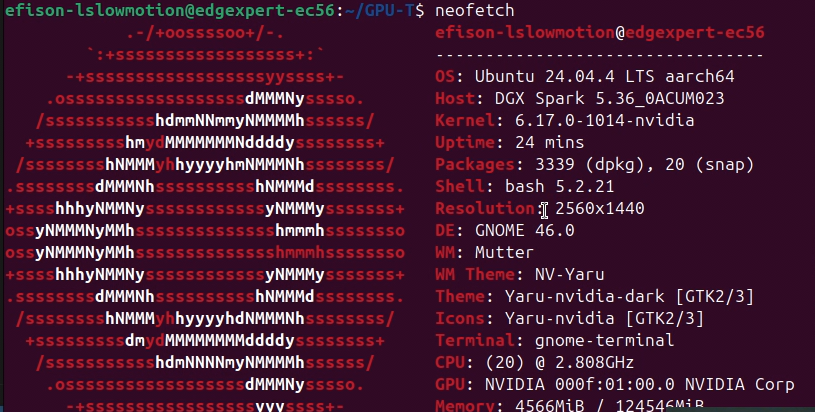
The “custom sauce” lies on the repository being used for delivering packages optimised for the GB10 which are maintained and deployed by Nvidia.
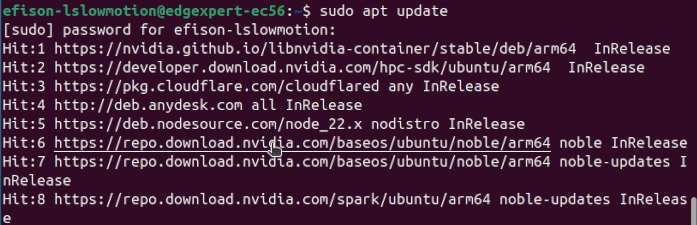
It comes with GNOME Desktop Environment if you fancy using it as a normal desktop PC. You can install various software through command line or Software Center in a typical Ubuntu desktop fashion.
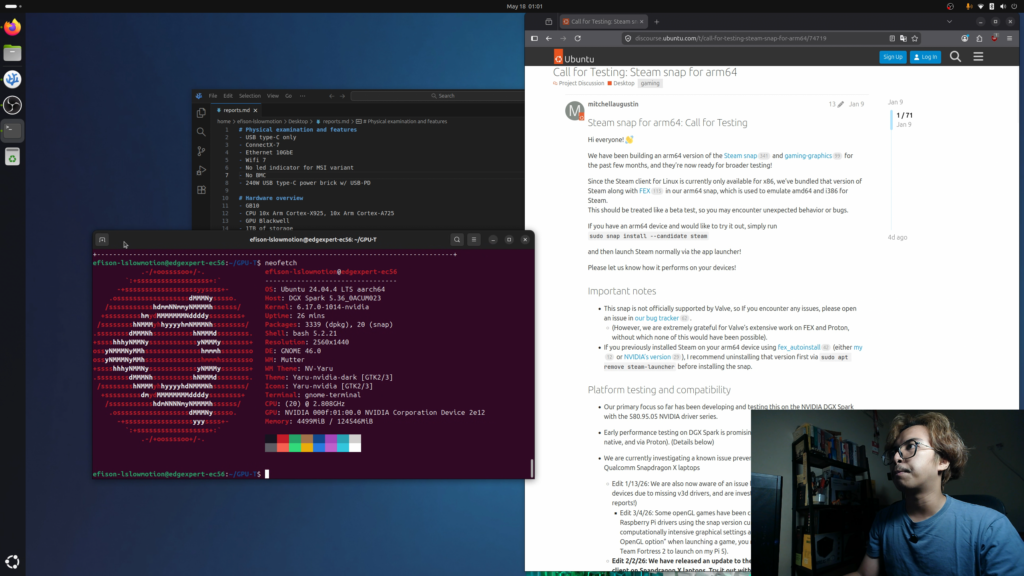
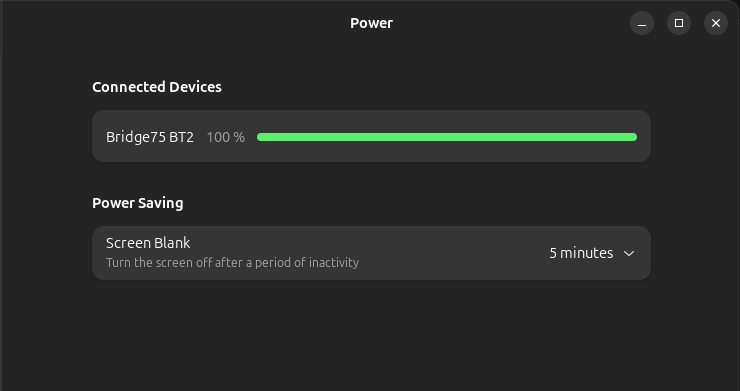
As it is a mini server, it has this cute quirk, which is you’ll find no sleep (or hibernate) option. You can only set the power saving to blank the screen after being left idle for some time. Well you don’t want your server to suddenly sleep in the middle of serving, no?
Being an AI Server: Default Software
After first boot and setup, you’ll get yourself a default dashboard called DGX Dashboard which can be accessed by a browser. The default address is http://localhost:11000 which can only be accessed locally from the machine itself. But you can easily redirect it with a proxy or tunneling just fine.
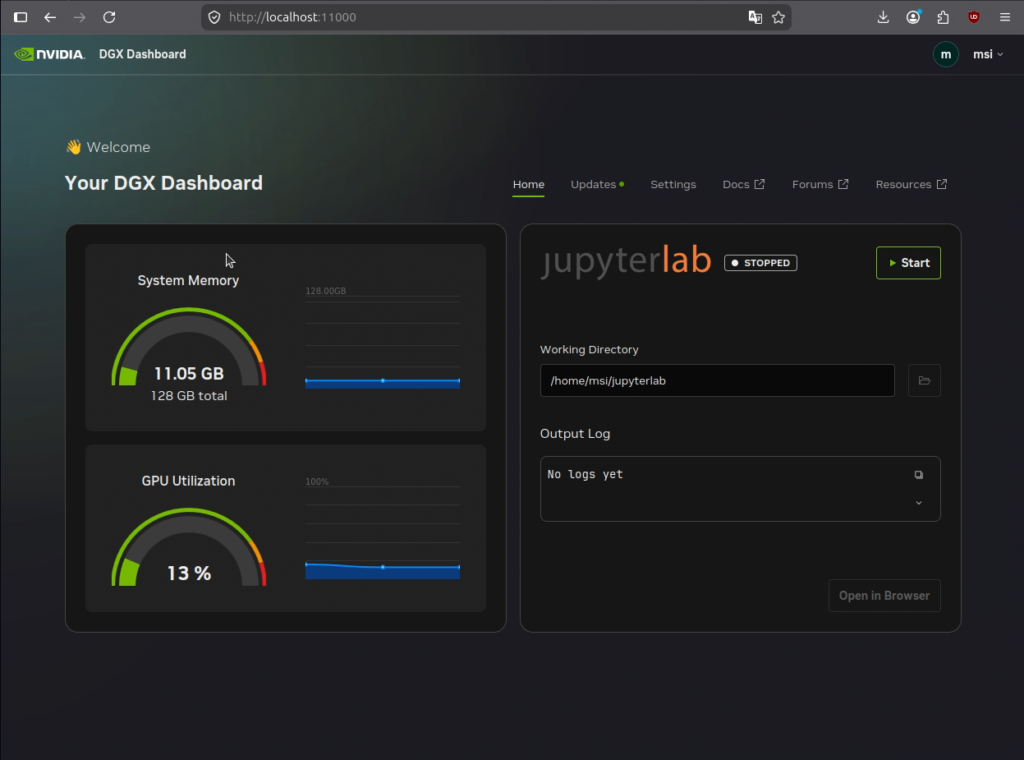
As can be seen above you can easily see simple statuses of the hardware and launch a JupyterLab which would then can be used as PyTorch or TensorFlow development environment just as easy. From there you can use the underlying hardware both CPU and GPU to develop or test your various Jupyter workflow.
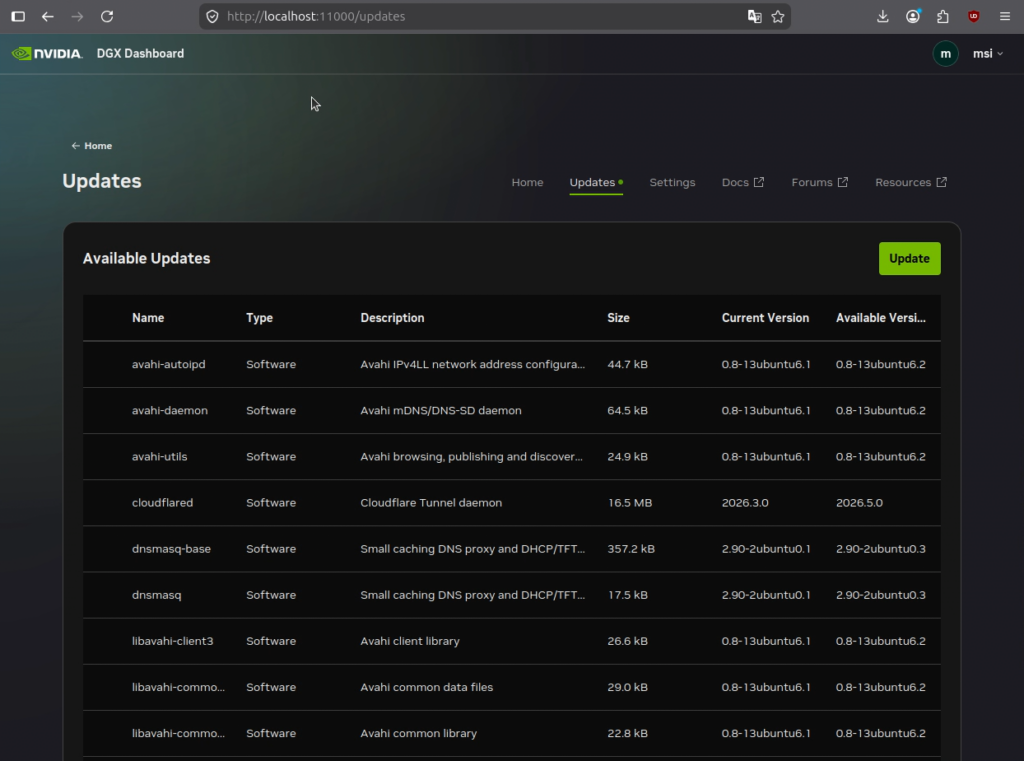
From the same dashboard we can click on the Updates menu to… update. Nvidia recommends updating from this dashboard instead of using CLI, and you will also get your firmware or UEFI update from this same interface.
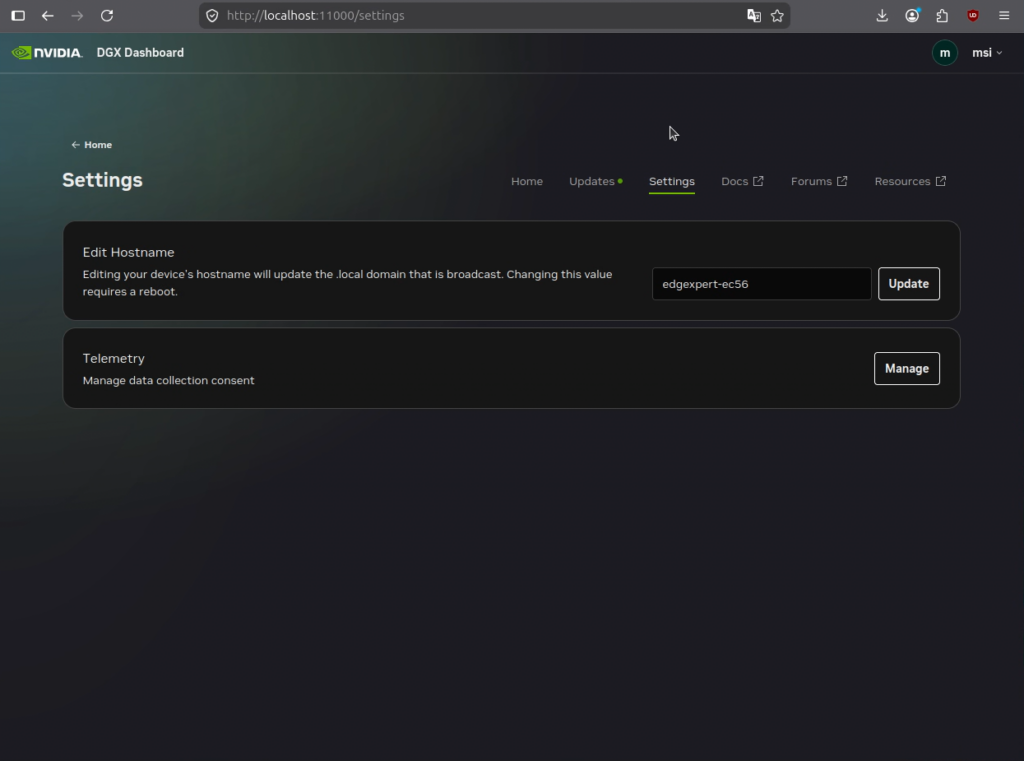
Continuing right there is a Settings menu which can be used to change the hostname and enable/disable telemetry.
The next three buttons on the right are external links in which you can interact with:
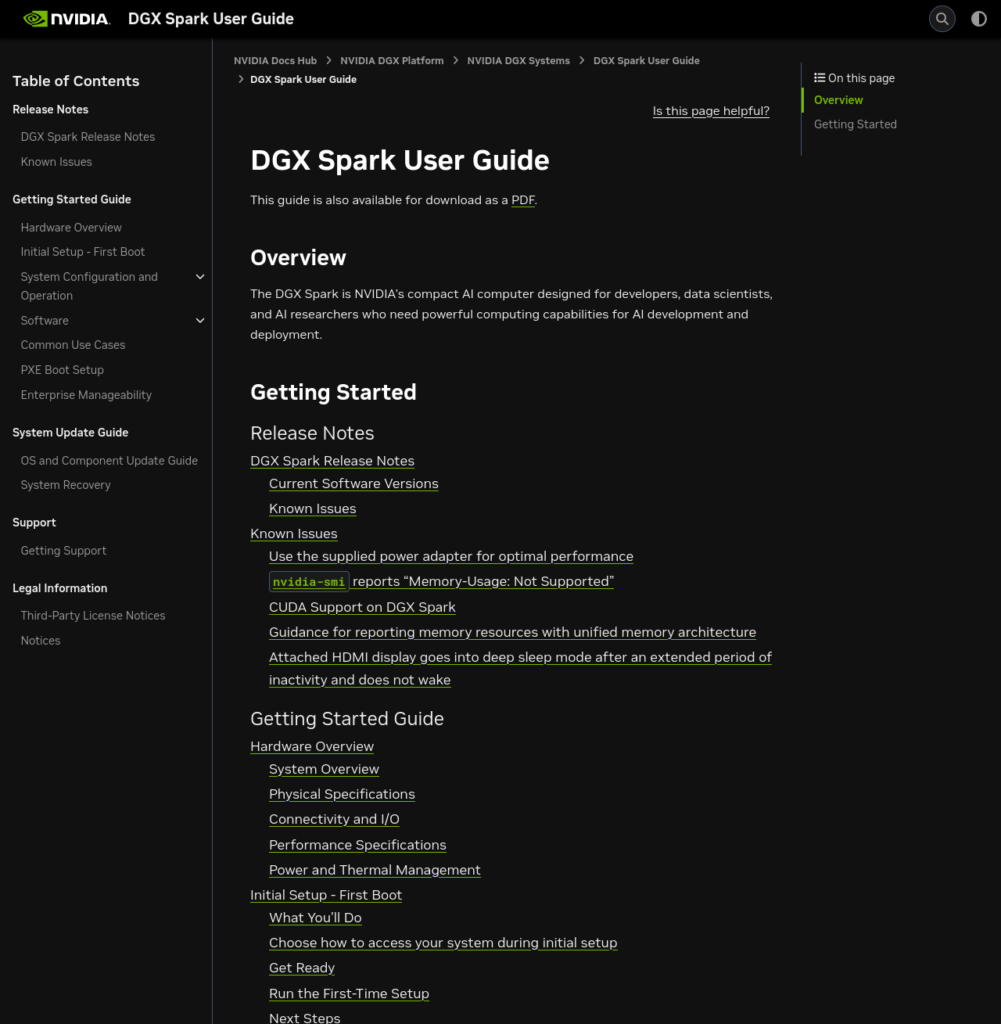
Docs: Product Documentation and User Manual
Here you can look for everything you need to know about DGX Spark down from its hardware, software, configuration, release notes, system update guide, how to get support, to legal information. This is as complete as you want it to be. Personally I found that this is the most complete manual ever written for a mini PC. Oh wait it’s a mini supercomputer, not just a mini PC.
Forums: Discussion Boards
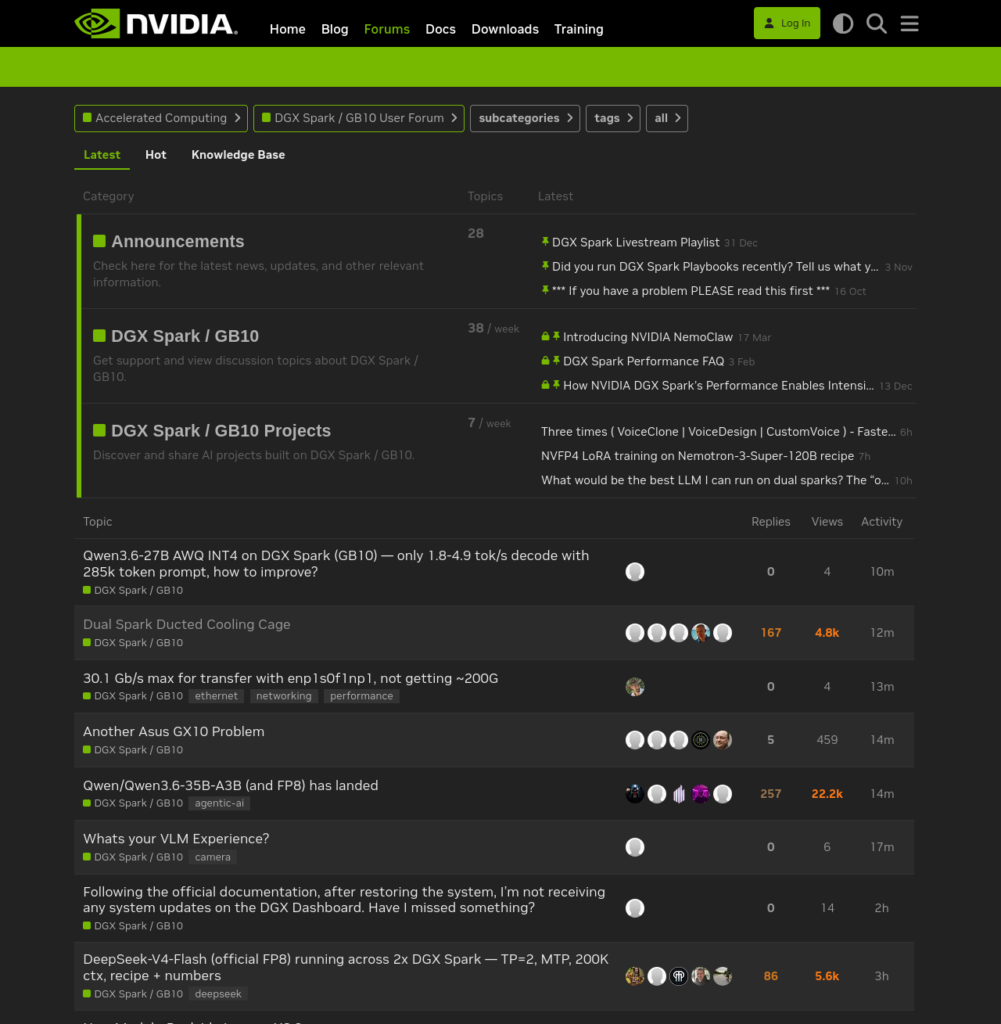
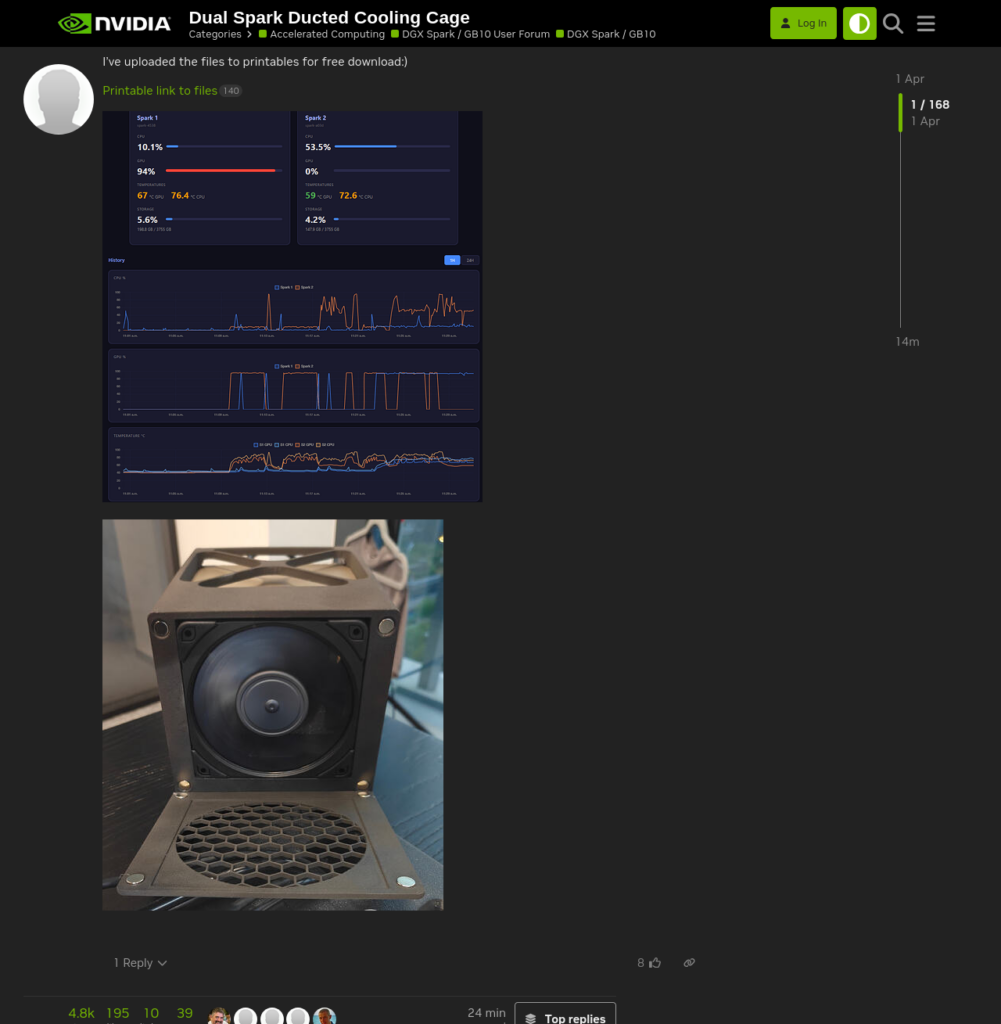
Do you ever feel like missing a bulletin boards? Or interacting with a bunch of geniuses around the world who have the same systems? Afraid not! This forum is as lively as it can, with Nvidia moderators also actively participates in the discussions. Maybe someone has a crazy idea, maybe someone has a solution for a particular problem, you name it. Lovely.
Resources: Guides for Deploying AI Softwares
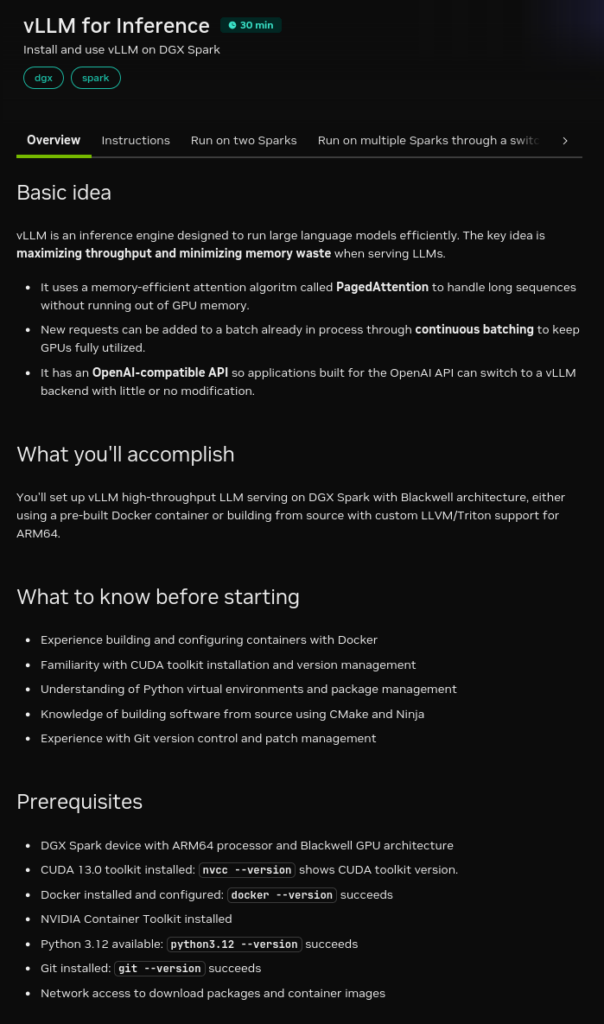
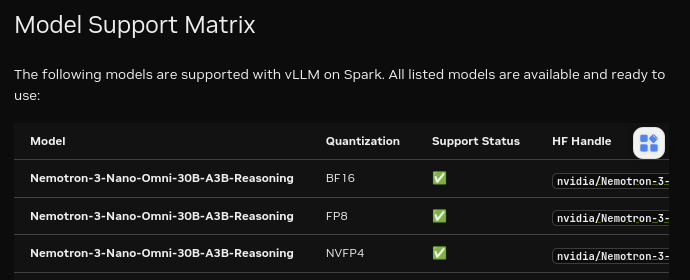
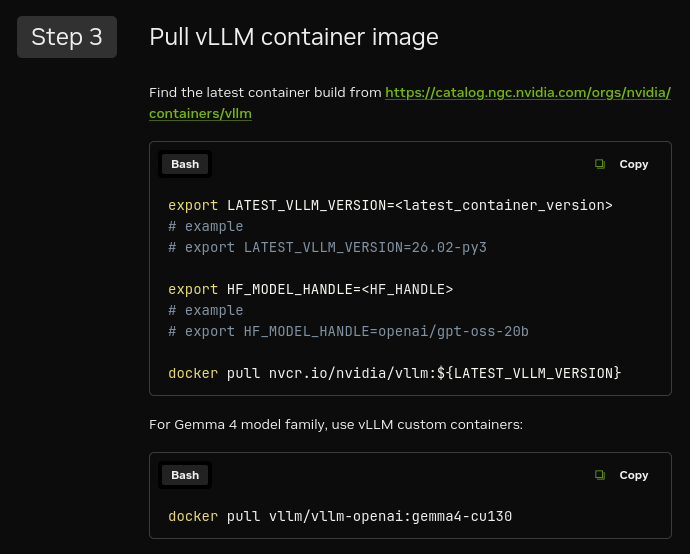
For me this is one of the killer features. This is the guide for building, running, and deploying any popular AI software, some with prebuilt container images or models built by Nvidia themselves. Again, personally this has been the best resources provided by first-party for users to have the least possible headache of running any AI software they want to use.
CPU (and Memory) Performance Benchmarks
Here I tested some benchmarks to portray how fast it is in general tasks.
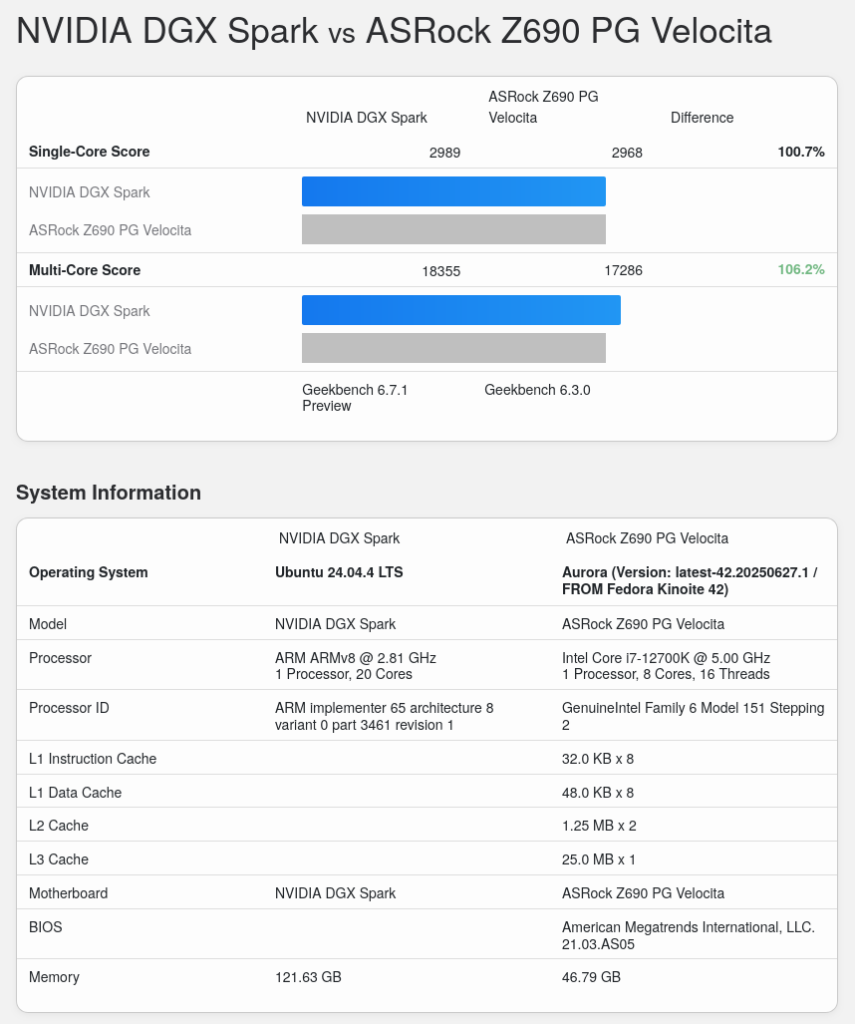
Geekbench 6
It slightly beat my desktop PC which has a bigger cooler and consumes more power.
Phoronix Linux Kernel 7.0 Compilation
Unfortunately it fell short in compilation performance. Personally, I also found this machine to be quite slow during Nunchaku wheel compilation which I will explain later on.
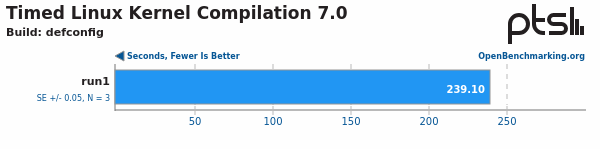
It is slower than an aging 8-core 8-thread i7-9700. Ouch.

Phoronix SVT-AV1 4.0
Similar picture painted when tested against SVT AV1 encoding using CPU.
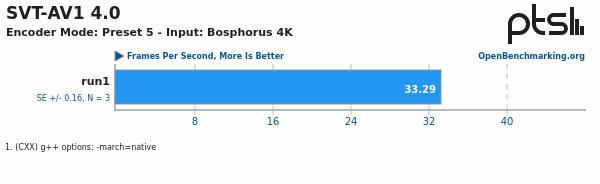
It’s only marginally faster than an aging 4-core 8-thread mobile CPU i7-8550U.

Phoronix 7-zip 26.01 Compression and Decompression
This one yielded a better outcome. My theory would be the large memory bandwidth helps with the compression/decompression performance by much and feeds the cores with the necessary data nicely.
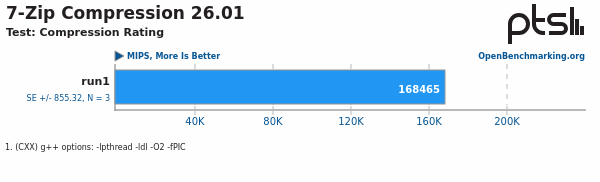
Only slightly lower than another mini AI machine (Ryzen AI Max+ 395) and faster than the current gen mainstream-class Intel desktop CPU (Core Ultra 5 250K Plus).

The decompression performance also painted a good number.
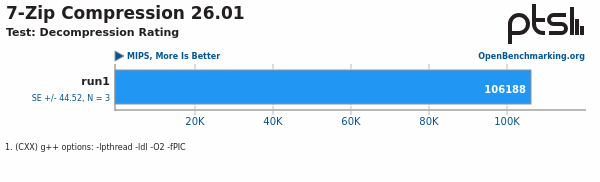
Albeit a much bigger gap against the Ryzen AI Max+ 395. Still respectable nonetheless.

Comparison against A Similar Mini AI Machine
It’s been a year or so that AMD released the Strix Halo (Ryzen AI Max+ 395 with integrated Radeon 8060S). I actually tested one but haven’t written any article about it (sorry 😥). Now when you see the raw specification, they’re kinda similar in stature.
| DGX Spark | Strix Halo | |
|---|---|---|
| Memory | 128 GB 256-bit LPDDR5x unified | 128 GB 256-bit LPDDR5x shared |
| Memory Bandwidth | 273 GB/s | 256 GB/s |
| Smallest Floating Point Support | NVFP4, MXFP4 | BF16, FP16 |
| Smallest Integer Support | INT4 | INT4 |
But it has this glaring difference: DGX Spark supports a smaller floating point data type.
Aside from the data type support, you can also look at the memory. DGX Spark uses unified memory while Strix Halo uses shared memory. This is different in nature.
With unified memory, you get a transparent memory addressing in which the CPU and GPU can access the same memory address, making it possible for the CPU or GPU-bound application to get more memory available on the pool on-demand. They can access the same 128 GB available memory in whole.
Strix Halo, uses shared memory in which you need to set a fixed amount of shared UMA (unified memory address) size available for the GPU. While the GPU can dynamically allocate the GPU memory to the available memory address, the fixed amount of shared UMA is locked for GPU and the CPU can only use the remaining memory pool. For example you can set the UMA size of 1 GB statically set to the GPU, then the
We’ll see the difference in performance later on.
LLM Performance
First, I need to talk about sidelining llama.cpp for vLLM. The reason is llama.cpp wouldn’t be representative for this machine LLM capability measurement. As I already presented above, it has a large unified memory capacity of 128 GB. With this much of a memory, you are not on the mercy of GGUF models with llama.cpp and you can just run the non-GGUF quantized model with an inference engine good enough to serve more requests.
Wait that explanation isn’t really helpful, right?
Let me just show you this model size comparison.
Here are unsloth/Qwen3.6-35B-A3B-GGUF models’ size.
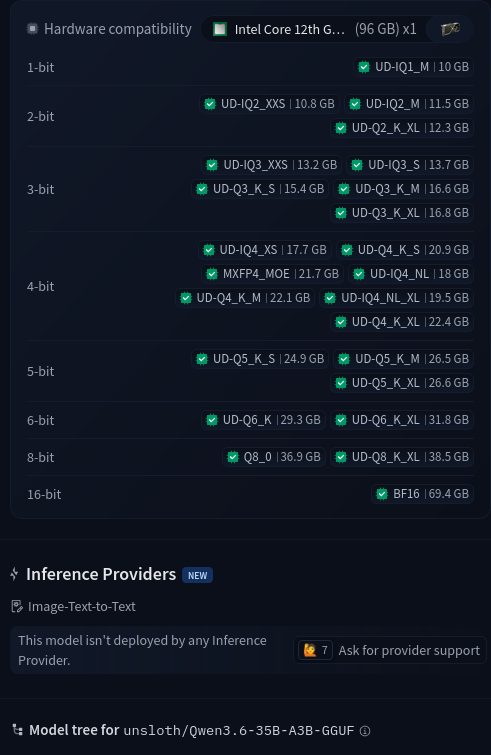
And this is unsloth/Qwen3.6-35B-A3B-NVFP4 model size.
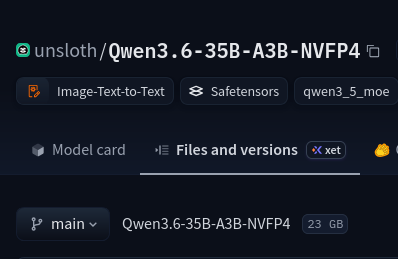
llama.cpp will allocate certain parts of the memory to be used as KV cache. This number is fixed based on the data type being used and the context length set up in the llama-server directive. It can’t grow or shrink to fit the available memory, nor set up on-the-fly when the inference server is running.

Unlike llama.cpp, when you use an enterprise focused inference engine like vLLM, you can use the remaining available memory for more concurrency.

Now when we put the comparison side-by-side, you can see that vLLM can serve more concurrent requests easily compared to llama.cpp, even with a similarly sized GGUF model. All the benchmarks were done with llama-benchy for easy benchmarking tool and consistency.
llama.cpp serve command line, model: unsloth/Qwen3.6-35B-A3B-GGUF, UD-Q4_K_XL quantization
llama-serve \
  --model unsloth/Qwen3.6-35B-A3B-GGUF/Qwen3.6-35B-A3B-UD-Q4_K_XL.gguf \
  --mmproj unsloth/Qwen3.6-35B-A3B-GGUF/mmproj-BF16.gguf --image-min-tokens 1024 \
  -ctk q8_0 -ctv q8_0 -c 262144 -ub 4096 -b 4096 \
  -fa 1 \
  --temp 0.6 --top-p 0.95 --top-k 20 --min-p 0.0 \
  --presence-penalty 0.0 --repeat-penalty 1.0 \
  --parallel 1 --threads 16 \
  --host 0.0.0.0 --port 8000 \
--jinjavLLM serve command line, model: unsloth/Qwen3.6-35B-A3B-NVFP4
podman run \
  -p 8000:8000 \
  --device nvidia.com/gpu=all \
  -v ~/.cache/huggingface:/root/.cache/huggingface:Z \
  docker.io/vllm/vllm-openai:cu130-nightly unsloth/Qwen3.6-35B-A3B-NVFP4 \
  --enable-auto-tool-choice --tool-call-parser qwen3_coder --reasoning-parser qwen3 \
  --trust-remote-code \
  --dtype float16 \
  --max-model-len -1 \
--gpu-memory-utilization 0.8llama-benchy benchmarking line for the llama.cpp server, model: unsloth/Qwen3.6-35B-A3B-GGUF, UD-Q4_K_XL quantization
llama-benchy \
  --base-url http://${HOST}:8000/v1 \
  --model Qwen3.6-35B-A3B-UD-Q4_K_XL.gguf \
  --depth 0 8192 \
  --pp 2048 --tg 256 \
  --concurrency 1 2 4 \
  --no-results-on-fail
llama-benchy benchmarking line for the vLLM server, model: unsloth/Qwen3.6-35B-A3B-NVFP4
llama-benchy \
  --base-url http://${HOST}:8000/v1 \
  --model unsloth/Qwen3.6-35B-A3B-NVFP4 \
  --depth 0 8192 \
  --pp 2048 --tg 256 \
  --concurrency 1 2 4 \
  --no-results-on-fail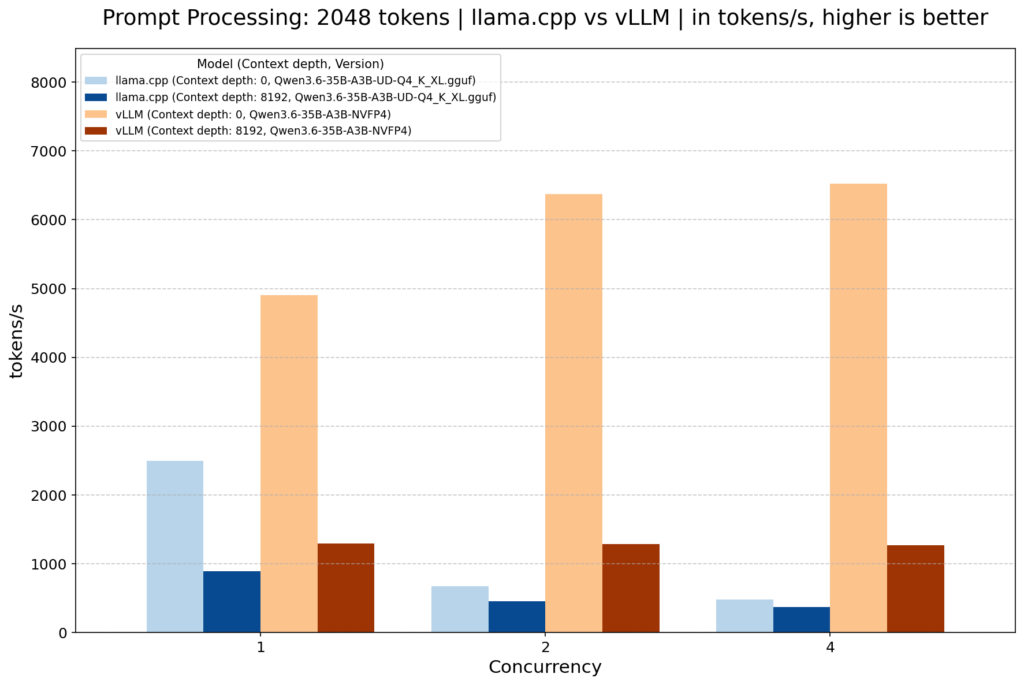
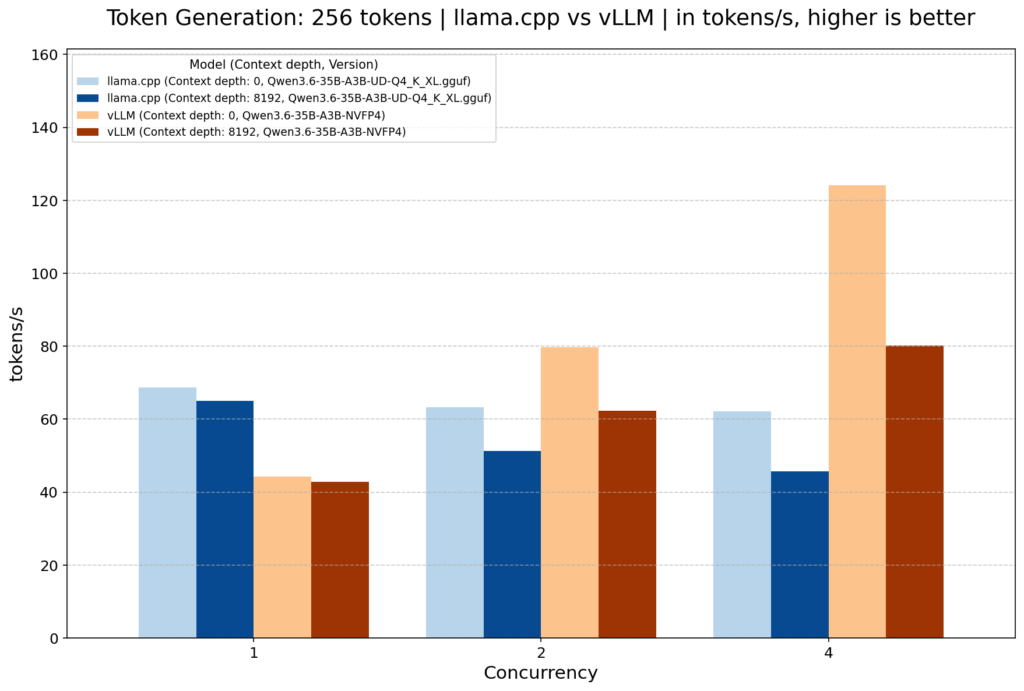
Now that I’ve already put out my reasons, let’s continue to the vLLM benchmarks.
But wait, there’s more. I also put Radeon AI Pro R9700 as another data for comparison.

| DGX Spark | Radeon AI Pro R9700 | Strix Halo | |
|---|---|---|---|
| Memory | 128 GB 256-bit LPDDR5x unified | 32 GB 256-bit GDDR6 dedicated | 128 GB 256-bit LPDDR5x shared |
| Memory Bandwidth | 273 GB/s | 644.6 GB/s | 256 GB/s |
| Smallest Floating Point Support | NVFP4, MXFP4 | FP8 | BF16, FP16 |
| Smallest Integer Support | INT4 | INT4 | INT4 |
vLLM Container Image Version
For the vLLM deployment, I used these container images running on Podman for each machine, as I found them to be the most performant at the time of testing (18 May 2026).
| Machine/GPU | Container Image |
|---|---|
| DGX Spark | docker.io/vllm/vllm-openai:cu130-nightly |
| Radeon AI Pro R9700 | docker.io/rocm/vllm-dev:nightly |
| Strix Halo | docker.io/kyuz0/vllm-therock-gfx1151:latest |
Also here are the vLLM inference engine serving lines for each GPU:
vLLM serve command line for DGX Spark
podman run \
  -p 8000:8000 \
  --device nvidia.com/gpu=all \
  -v ~/.cache/huggingface:/root/.cache/huggingface:Z \
  docker.io/vllm/vllm-openai:cu130-nightly ${MODEL} \
  --enable-auto-tool-choice --tool-call-parser qwen3_coder --reasoning-parser qwen3 \
  --trust-remote-code \
  --dtype float16 \
  --max-model-len -1 \
--gpu-memory-utilization 0.8vLLM serve command line for Radeon AI Pro R9700
# Create distrobox
distrobox create vllm \
  --image docker.io/rocm/vllm-dev:nightly \
  -- \
  --device /dev/dri --device /dev/kfd \
  --group-add keep-groups --security-opt seccomp=unconfined

# Enter distrobox
distrobox enter vllm

# Run vllm serve inside the distrobox
vllm serve \
  ${MODEL} \
  --host 0.0.0.0 --port 8000 \
  --enable-auto-tool-choice --tool-call-parser qwen3_coder --reasoning-parser qwen3 \
  --trust-remote-code \
  --dtype float16 \
  --max-model-len -1 \
  --gpu-memory-utilization 0.9 \
--enforce-eagervLLM serve command line for Strix Halo
# Create distrobox
distrobox create vllm-gfx1151 \
  --image docker.io/kyuz0/vllm-therock-gfx1151:latest \
  -- \
  --device /dev/dri --device /dev/kfd \
  --group-add keep-groups --security-opt seccomp=unconfined

# Enter distrobox
distrobox enter vllm-gfx1151

# Run vllm serve inside the distrobox
VLLM_ROCM_USE_AITER=1 vllm serve \
  ${MODEL} \
  --host 0.0.0.0 --port 8000 \
  --enable-auto-tool-choice --tool-call-parser qwen3_coder --reasoning-parser qwen3 \
  --trust-remote-code \
  --dtype float16 \
  --max-model-len -1 \
--gpu-memory-utilization 0.8llama-benchy benchmarking for the vLLM servers
llama-benchy \
  --base-url http://${HOST}:8000/v1 \
  --model ${MODEL} \
  --depth 0 8192 16384 32768 \
  --pp 2048 --tg 256 \
  --concurrency 1 2 4 8 \
--no-results-on-failvLLM Performance, Qwen/Qwen3.5-35B-A3B-GPTQ-Int4
First, I used an exact same model, Qwen/Qwen3.5-35B-A3B-GPTQ-Int4, which is Qwen3.5-35B-A3B model that has been quantized to int4 (4-bit integer). This way we can measure the performance without resorting to any hardware data type support advantage.
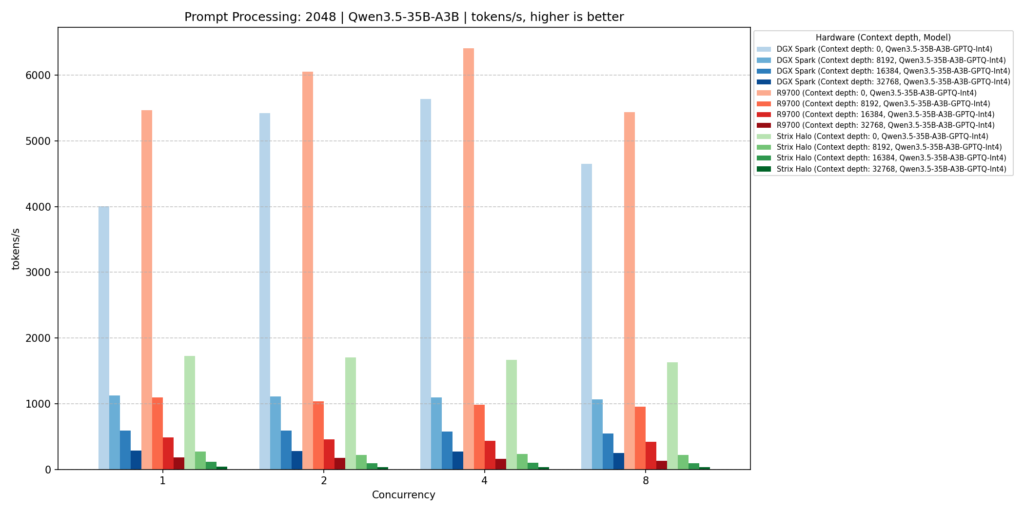
As we can see above, the Radeon AI Pro R9700 was able to beat the DGX Spark when the prompt has no meaningful context length. But, the DGX Spark was able to gain advantage, even so slightly, on deeper contexts. Unfortunately, the Strix Halo fumbled big with the performance was nowhere around those two.
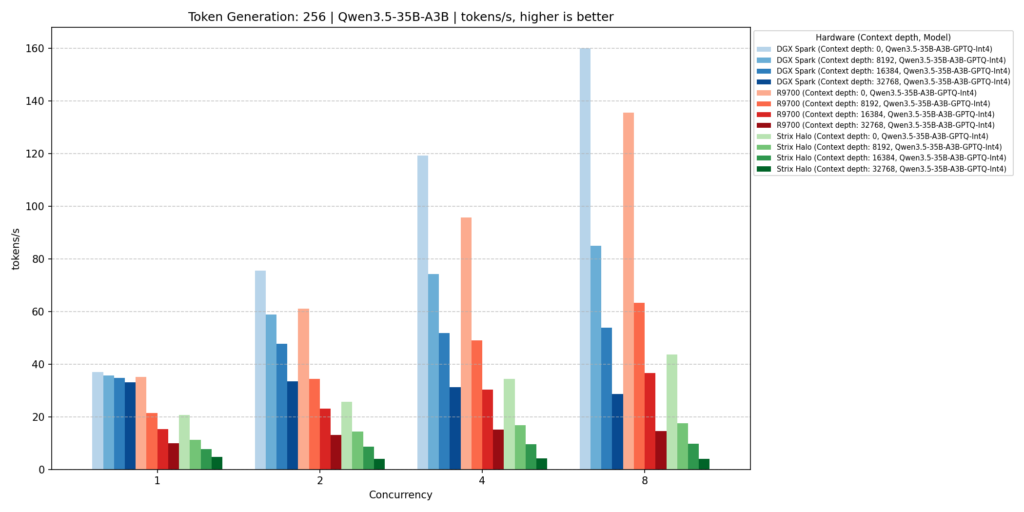
Funnily enough, even with lower memory bandwidth (273 GB/s vs 644.6 GB/s), the DGX Spark was able to blow the Radeon AI Pro R9700 out of the water. Don’t even mention the Strix Halo, it failed to perform to even half of the DGX Spark performance, and even worse on deeper contexts.
vLLM Performance, Qwen/Qwen3.6-35B-A3B, Different Quantization
For this one I used same models with different quantization on the DGX Spark against both set of Radeons.
The GB10 in the DGX Spark is based on Nvidia Blackwell architecture which supports NVFP4. This support is shared with other Blackwell-based GPU such as RTX 50 Series, RTX PRO Blackwell Series, B100, B200, B300, etc. For that reason, I used unsloth/Qwen3.6-35B-A3B-NVFP4 to represent the lowest possible hardware quantization support.
As the Radeon AI Pro R9700 and Strix Halo only support 4-bit on the integer unit and not on the floating point unit, I used cyankiwi/Qwen3.6-35B-A3B-AWQ-4bit. It uses activation-aware weight quantization technique from the MIT HAN Lab and mainly utilises int4 (4-bit integer).
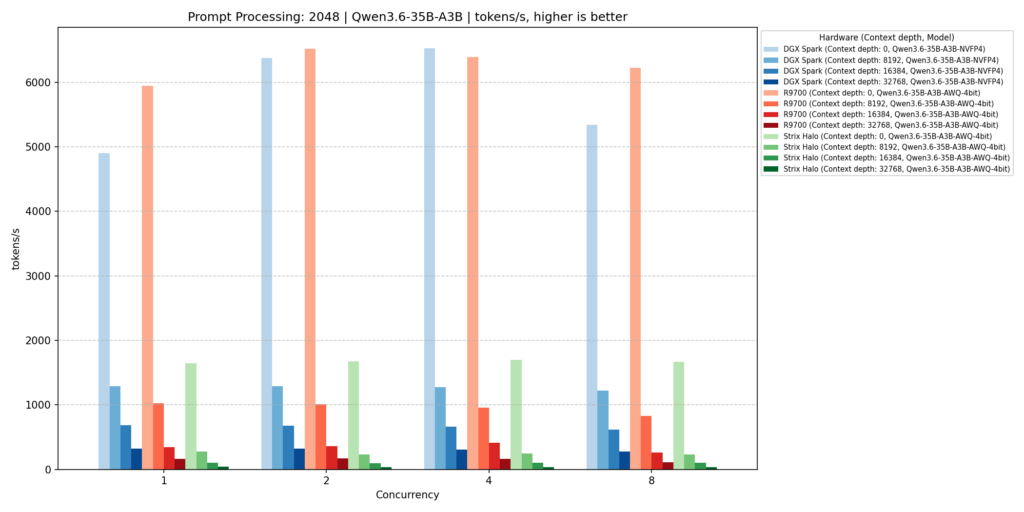
This one brought a more interesting comparison between the DGX Spark and the Radeon AI Pro R9700. Somehow the DGX Spark was able to gain foothold on no context depth with 4 concurrent requests. Also the deeper contexts on the DGX Spark shined this time against the R9700. And yes, the Strix Halo performance was far behind those two.
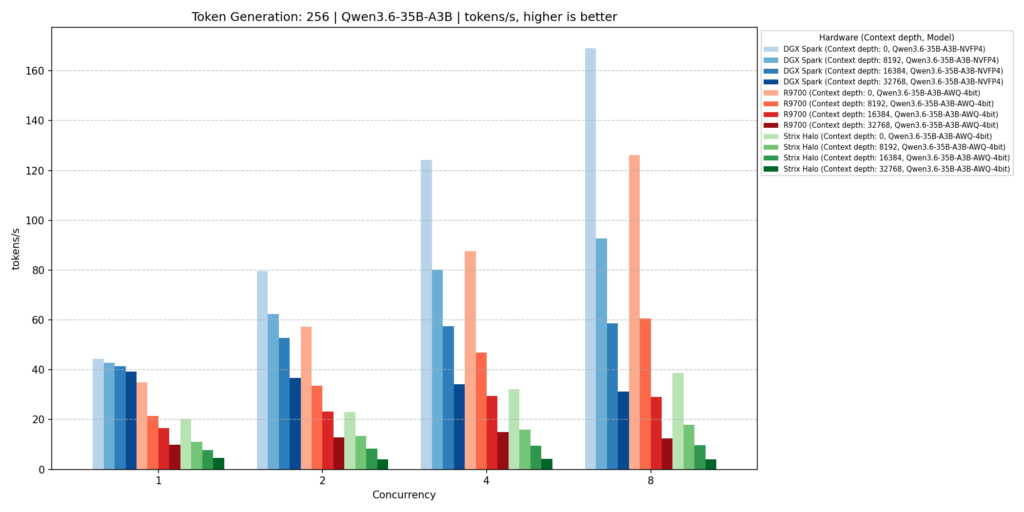
The data portrays similar story. But this time, the DGX Spark was slightly faster and the R9700 was slightly slower, giving more performance delta between those two. Poor Strix Halo still struggled hard.
LLM Performance Conclusion
At the time of writing, DGX Spark can be found for around IDR170Mio (assuming the currency rate of IDR18k/USD), give or take, with bigger storage size would warrant higher price.
Now compare that to R9700 which can be found for around IDR30Mio. When you factor the total system cost of around IDR80Mio for a high-end system, yet yields LLM performance not far short of the DGX Spark, you would have to answer at least these 4 questions:
- Do you need a smaller footprint?
- Do you need lower heat and power envelope?
- Do you need a better software/model/documentation/support?
- Do you intend to setup a cluster?
If most of your answers are yes, I think the IDR170Mio of DGX Spark would worth the money compared to R9700 or Strix Halo.
I’m sorry Strix Halo. But with your current expected price for 128 GB variant of around IDR75Mio, I would rather choose between R9700 or DGX Spark.
Image Generation Performance
Things get more interesting here on image generation test. As I already wrote above regarding the NVFP4 support, you can expect that this mini machine would be able to run Nunchaku SVDQuant FP4 model like the RTX 5070 Ti we tested on this article. But there’s a big trouble challenge. Big big challenge.
The Nunchaku wheel binaries provided on Nunchaku Github release are only available for x86_64. Meanwhile this DGX Spark uses Arm processor inside.
Oof.
Oh wait. Turns out there is someone from Japan who was able to build and compile from source, so that Nunchaku wheel would run for aarch64 (Arm64)!
Yep. After following the direction in which I required to use Google Translate to decipher that article (shout out to tori29umai) and waited for several minutes of compilation process (trust me it was goddamn long lol, I’m used to faster CPUs), voila!
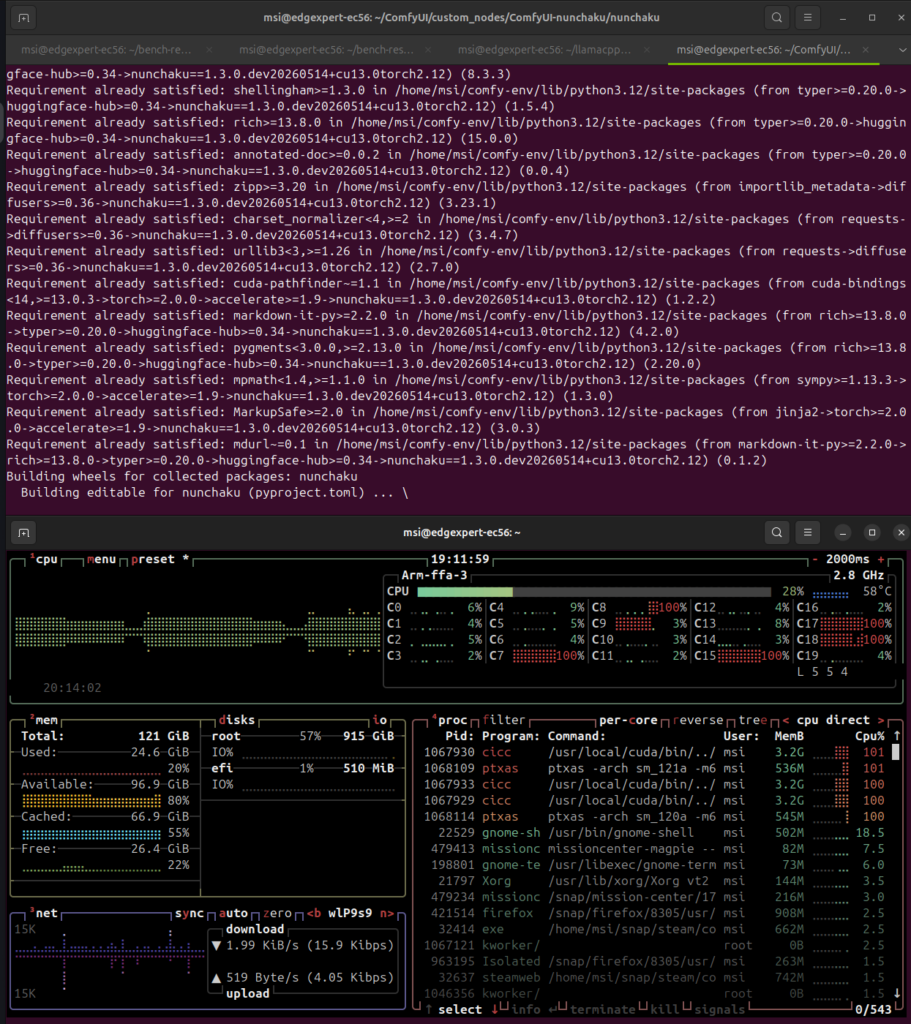
I used the same model (Qwen Image Edit 2509), same workflow, and same input images for the comparison as the one used in this article.
| Type | Model |
|---|---|
| GGUF | Base: QuantStack/Qwen-Image-Edit-2509-Q4_K_M LoRA: lightx2v/Qwen-Image-Edit-2509-Lightning-4steps-V1.0-bf16 |
| Nunchaku SVDQuant NVFP4 | nunchaku-ai/nunchaku-qwen-image-edit-2509/svdq-fp4_r32-qwen-image-edit-2509-lightningv2.0-4steps |
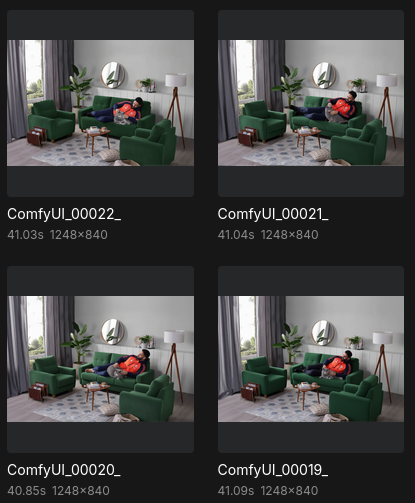
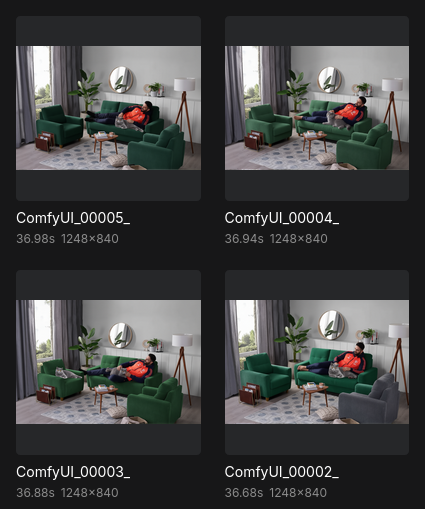
First, I would like to show you how the DGX Spark stands against the R9700 and the Strix Halo, using GGUF model which can be run across those three.
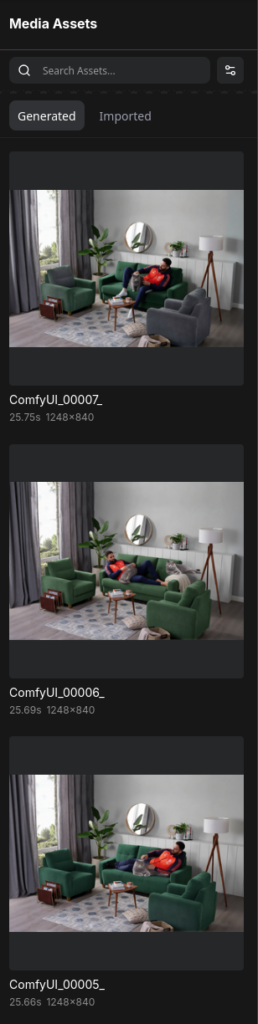
DGX Spark – Qwen Image Edit 2509 GGUF run screenshot
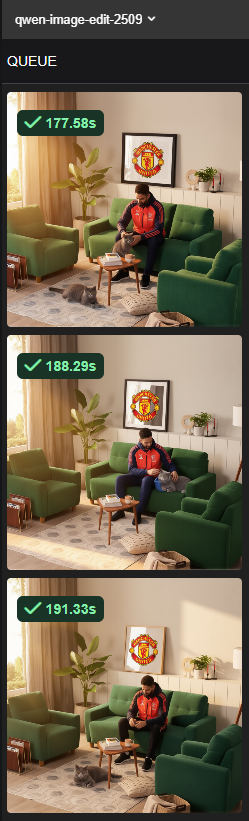
Radeon AI Pro R9700 – Qwen Image Edit 2509 GGUF run screenshot
Strix Halo – Qwen Image Edit 2509 GGUF run screenshot
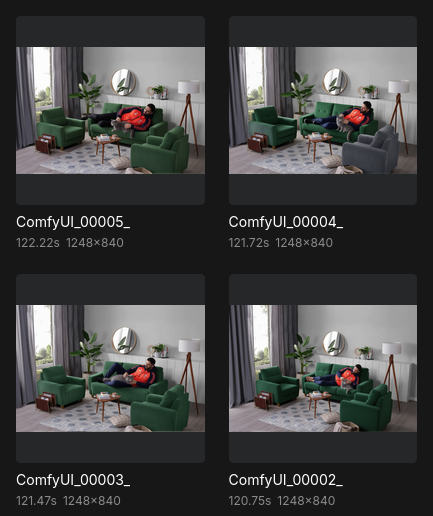
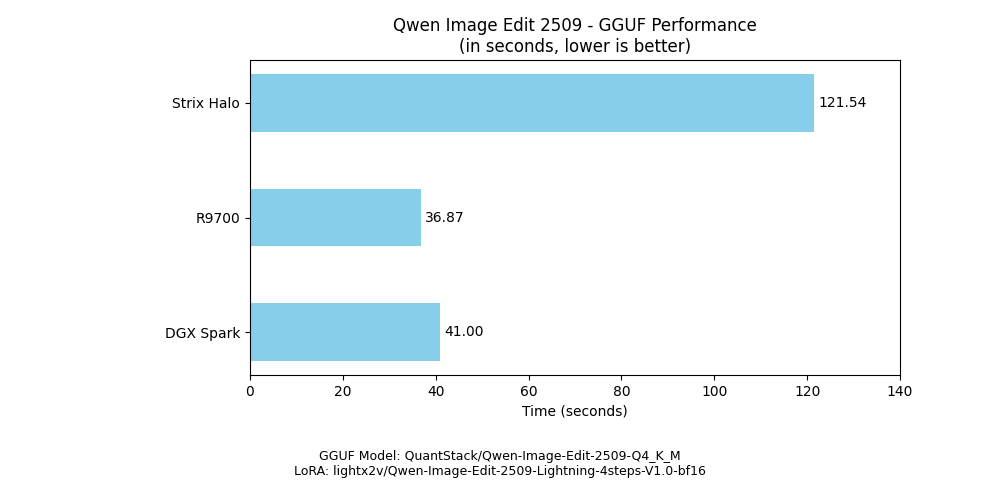
One interesting thing is, the Radeon AI Pro R9700 is now much faster than the last time I tested.
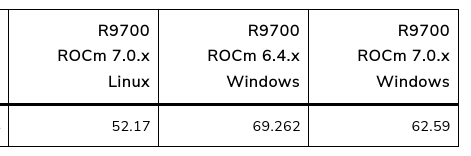
The Strix Halo is around 4x slower than the other two. Also faster than the last time I tried which requires around 188s to complete the task.
Now, let’s get to the staple of Nunchaku SVDQuant FP4 variant.
DGX Spark – Qwen Image Edit 2509 SVDQuant FP4 run screenshot
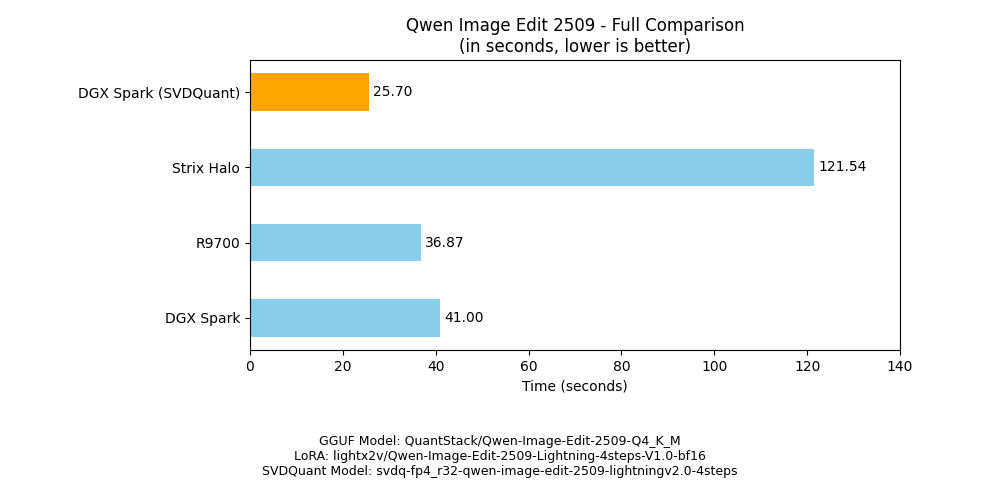
The DGX Spark finished the task and shaved around 38% of required time to complete using SVDQuant FP4 model variant. Turns out having a 4-bit floating point unit still helps even with a smaller chip and lower power.
Desktop PC Experience
If you want to switch the experience from being a mini supercomputer to a mere mini PC, it handles the job well. Well enough that you can do browsing, but nothing special from the performance standpoint.

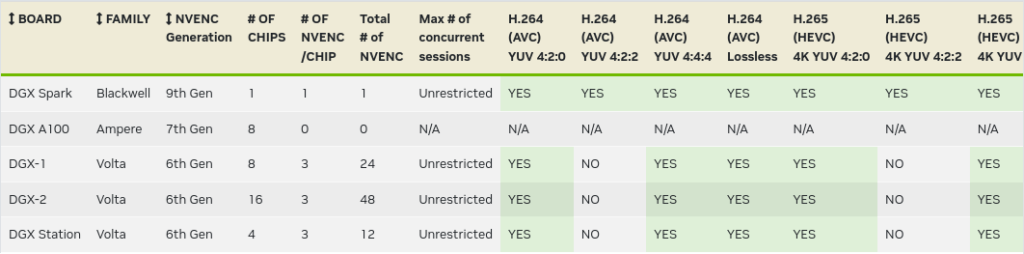
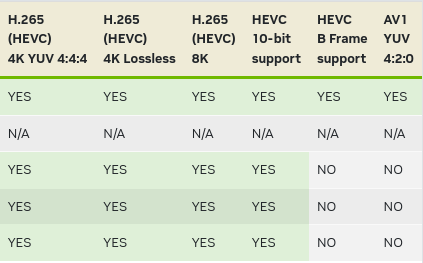
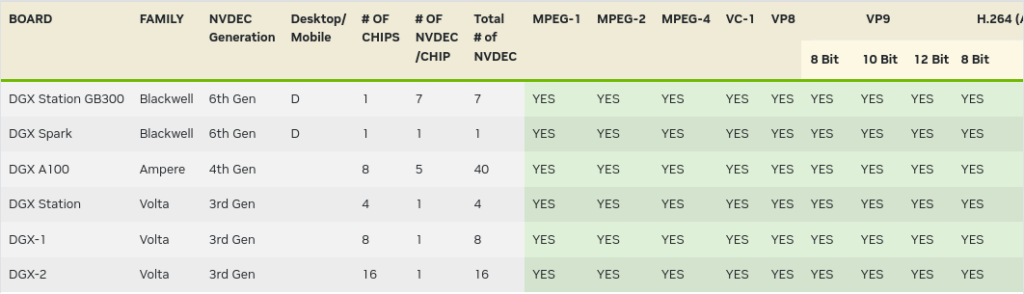
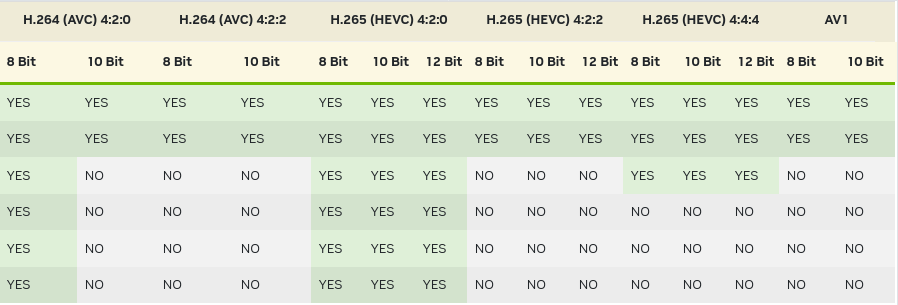
For multimedia purposes, it supports a wide range of codec on its encoder and decoder.
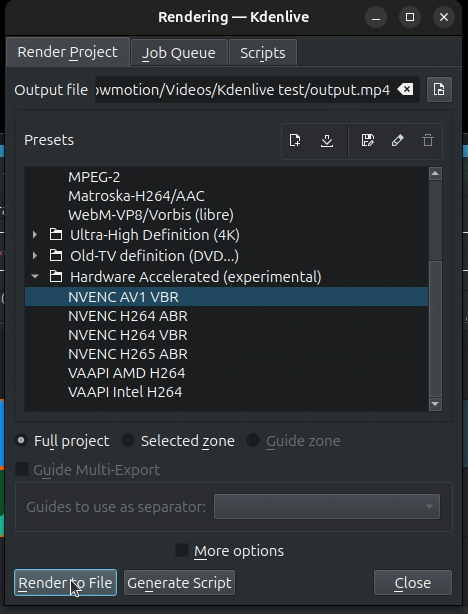
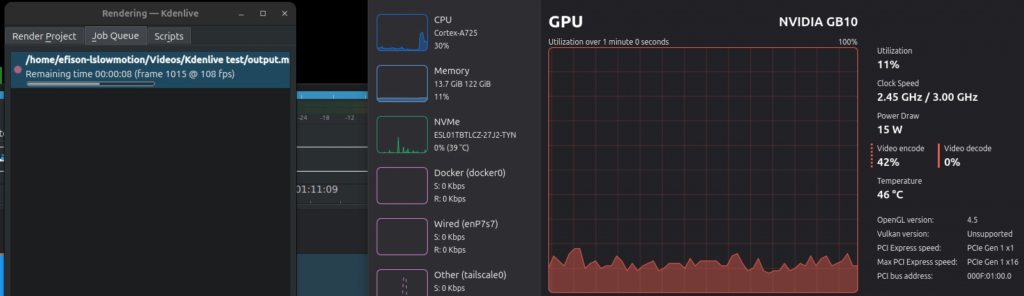
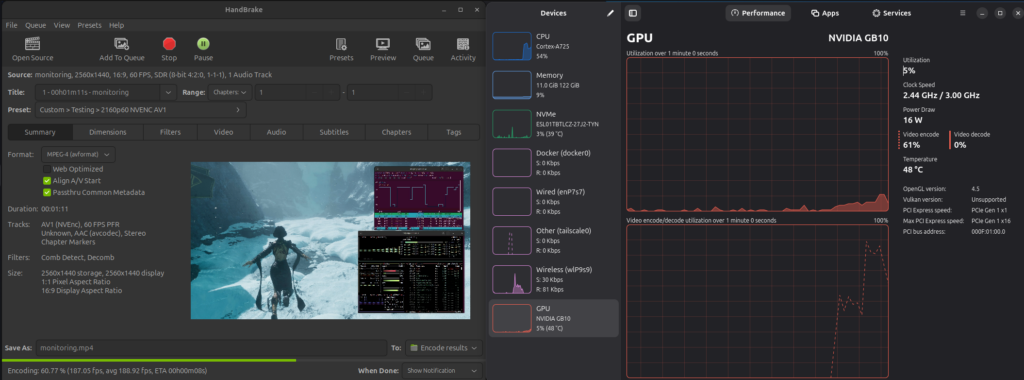
And my test showed that it is possible to use the NVENC (Nvidia encoder) to do some video rendering with the state of the art AV1 codec.
Gaming
Funnily enough, you can also game on DGX Spark. Despite of having a full-fledged Nvidia GPU with shader core, raytrace core, and tensor core, you won’t be expected to game on this as well as a normal gaming PC. The reason is most of the game available there are developed for:
- Windows (or DirectX API, to be precise)
- x86 CPU
Well, this system is running on:
- Linux (Vulkan API)
- Arm CPU
Now think about it. In order for your ordinary game to work, it needs to translate/emulate both the graphics API and the CPU ISA, before it hits the underlying low level instructions on the GPU and the CPU. The translation layers require certain computational cost in order for it to run.
For example, certain games require you to have an x86 CPU with AVX2 instruction extension. But there’s no such thing on Arm, and no such thing on GB10 CPU as well.

Thanks to the people from the Box86/Box64 project, we actually have an x86 to Arm emulator. Kudos to them, they’re also managed to emulate AVX(2)! Therefore, this Steam for Arm64 on Ubuntu was born.
And yes, with the magic of Box64 and Proton and VKD3D and many many more open source projects, I managed to play Clair Obscur: Expedition 33!
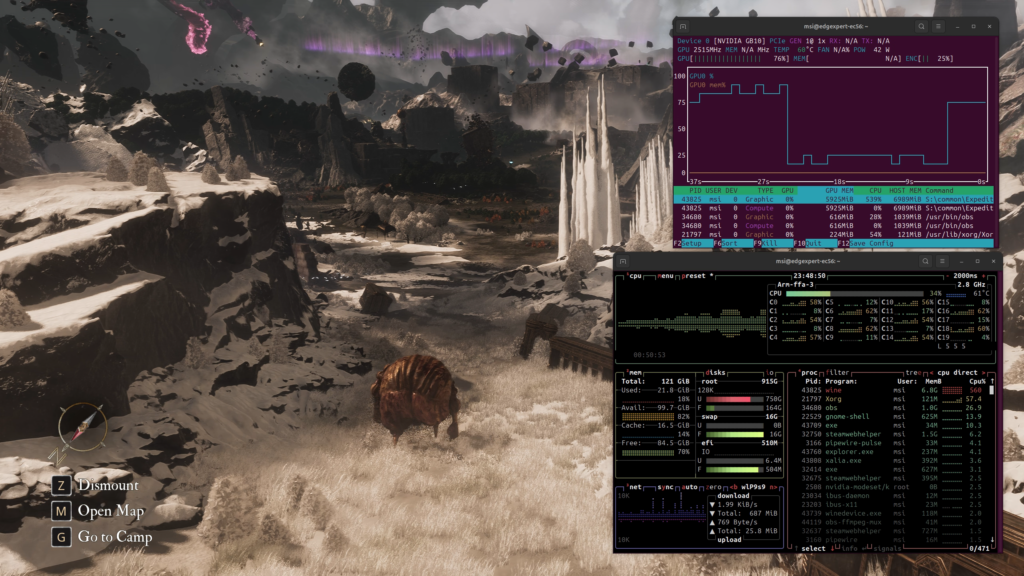
Unfortunately I wasn’t able to make MangoHud or Steam overlay to work, so there’s no framerate reading available. It was playable, not as smooth as my own PC, but respectable nonetheless for a machine which is not intended for gaming.
Power Consumption
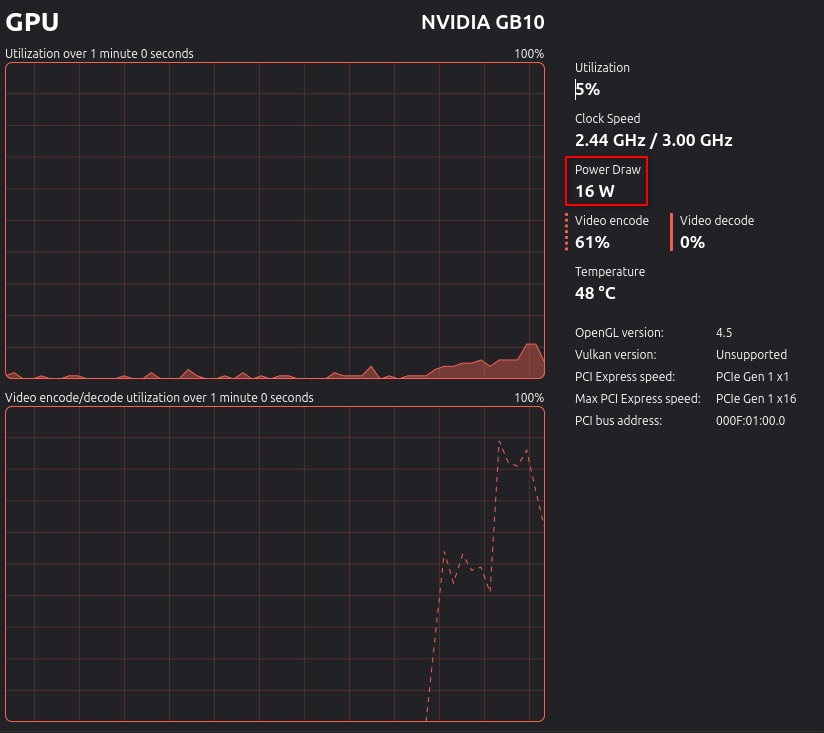
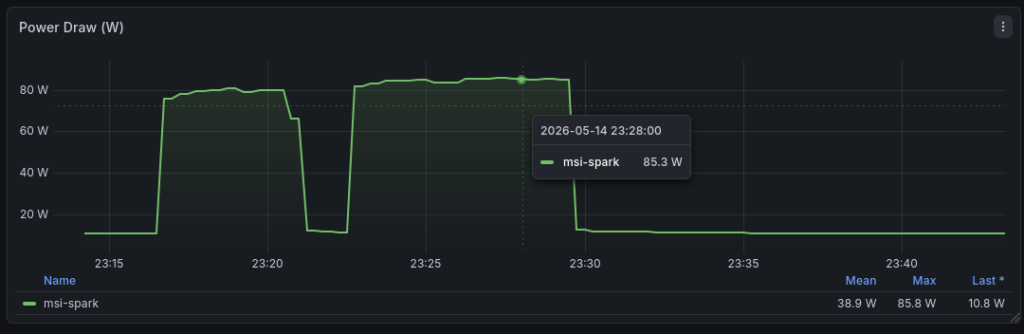
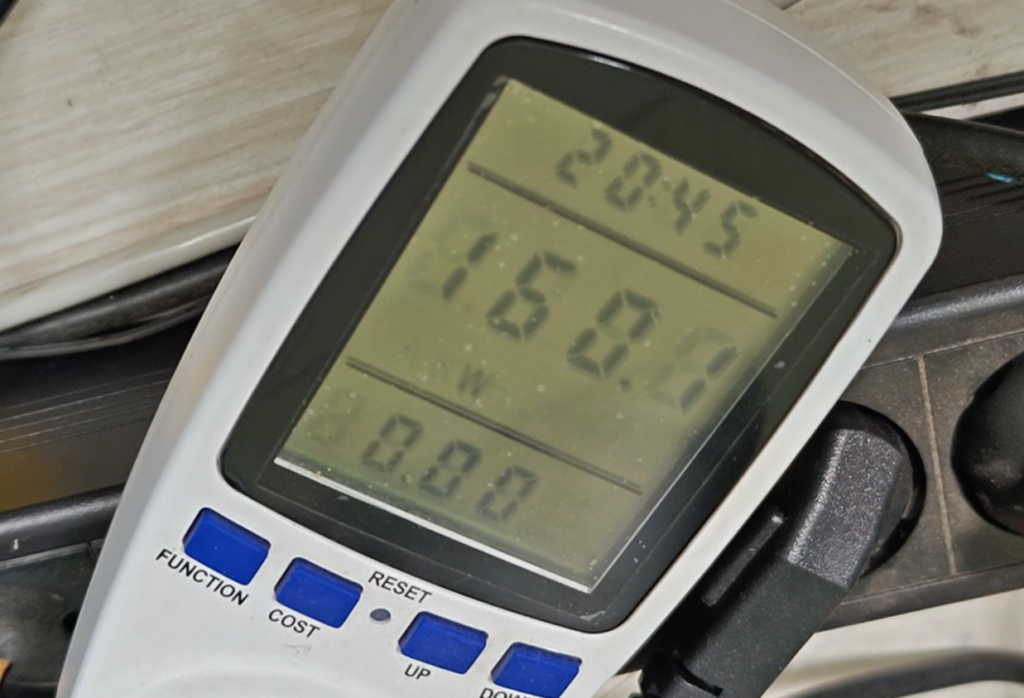
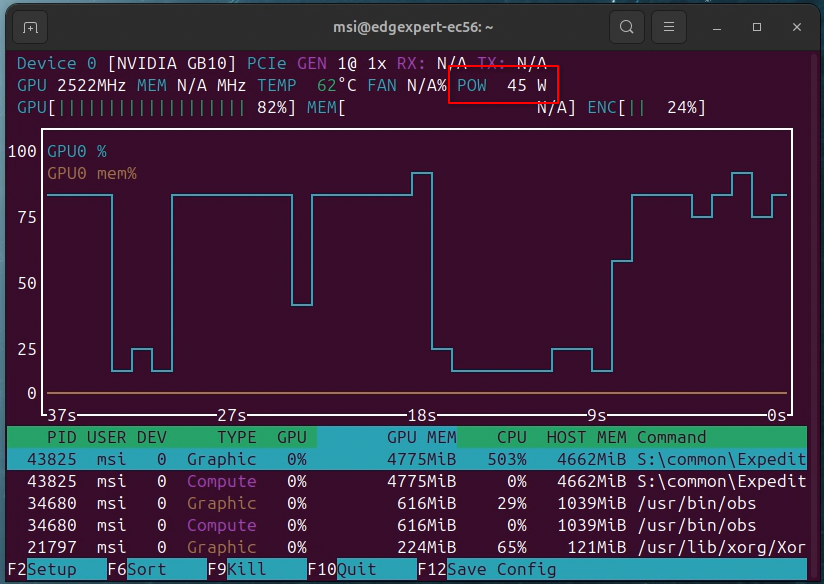
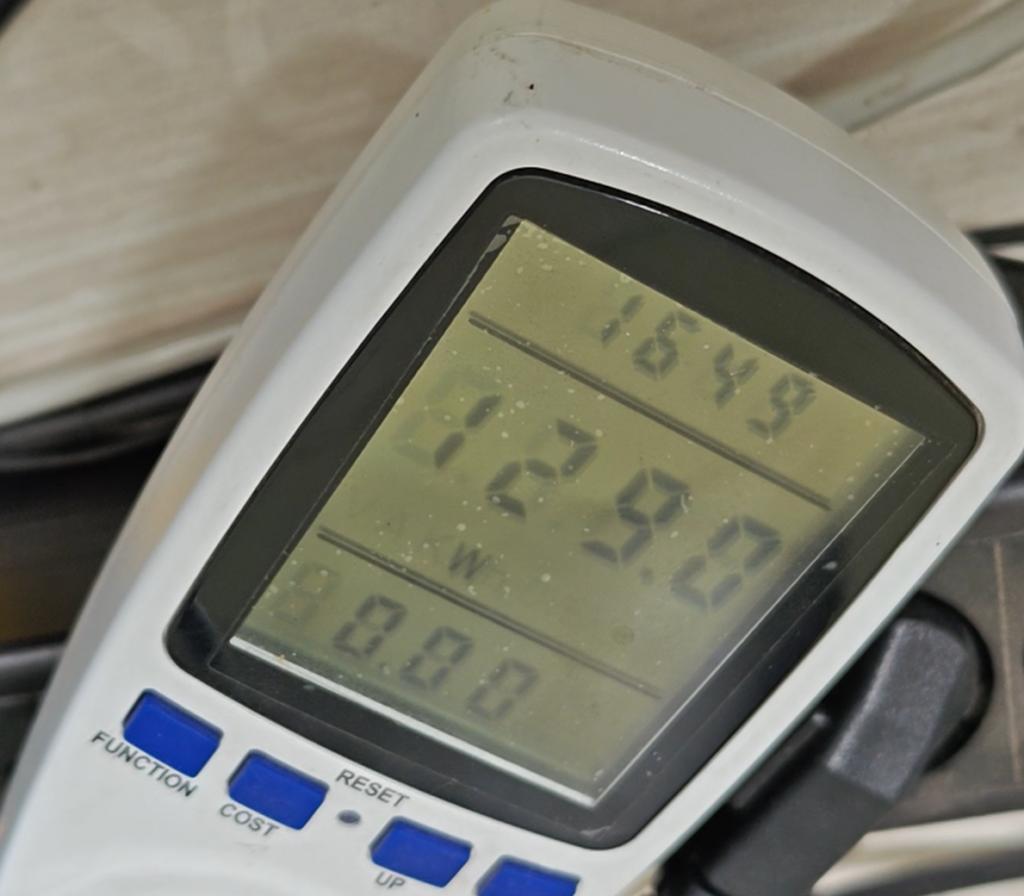
DGX Spark only exposes the power draw data from the GPU side. I tried probing the available sensors exposed to the OS to find a way to read the CPU or the SoC power draw using various tools like lm-sensors, siomon, and Prometheus node_exporter, to no avail. In the end, I only had limited time doing the power draw test. Regardless I can show you some interesting data, using both the GPU power draw sensor and wall outlet watt meter.
Noise
Every implementation of the DGX Spark platform from various Nvidia partners brings their own cooling solution. As for this test, it is specific to MSI EdgeXpert and not representative to all DGX Spark solutions available.
I would describe the noise as a typical gaming laptop whisper which can get louder under load. Even at the loudest it’s still pretty reasonable and you can have this system on your desk no problem.
Verdict
What can we grab from all those tests?
The fact that this has no AI moniker in its name yet excels in pretty much all of my AI tests, impressed me by very much.
If you’re looking for an edge device, with excellent support, software, and matured CUDA platform, maybe this device is for you. The problem would be the price. My estimation of IDR170Mio as per 28th May 2026 is based on the uncertainty of the currency exchange rate, the memory/storage chip shortage, and the freight cargo price hike caused by the Middle East conflict. It can probably get more expensive in the future, with no option of waiting until the price drops.
If you’re looking for alternatives, I don’t feel there’s any non-enterprise system or GPU that can give 128 GB of total available memory with this level of performance, especially around vLLM concurrent requests and deep context which are required for agentic AI of today. Not to mention the possibility of stacking multiple DGX Spark and setting up tensor parallelism to run a bigger model or to get more performance.
Also pls don’t buy it for a gaming PC. Save your money and buy any typical desktop or laptop instead.